
Designed in Canva? Download it with a transparent background
A transparent background in Canva needs Canva Pro. We do not pay for Canva, so we cannot download your design for you - download it yourself and send us the file.
Many of our clients make their design in Canva. That is fine - but we need the file of your design, with a transparent background, not a link to Canva.
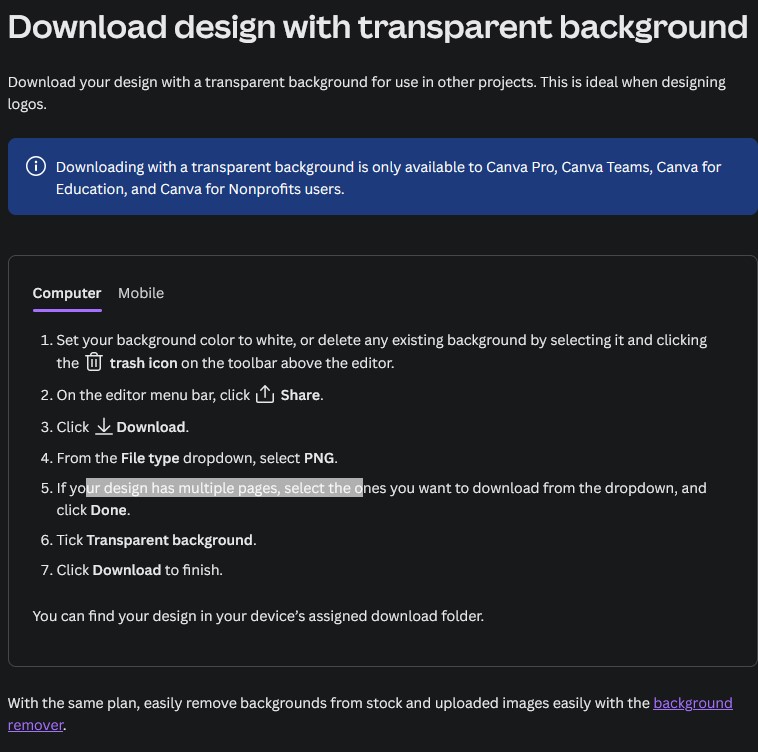
In Canva, downloading with a transparent background is only for Canva Pro, Teams, Education and Nonprofits. We do not pay for Canva, so we cannot open your Canva link and download it for you. The download with the right settings has to be done in your own Canva account.
How to download it from Canva
- Delete the background of your design (select it and click the trash icon), or set it to white.
- Click Share, then Download.
- File type: PNG.
- Tick Transparent background.
- Choose the biggest size you can - the print needs about 3300 pixels for 28 cm.
- Click Download, and send us the file on WhatsApp.
With words in your design, PDF Print with Flatten PDF ticked is good too: the letters then come as shapes, and we need no fonts - see fonts to outlines.
No Canva Pro?
- Without Canva Pro your PNG has a white background. On a white shirt that is fine - on any other colour the white box would be printed too.
- Canva Pro has a free trial - long enough to download your files.
- Or make your design in our own designer: your words, our fonts and your pictures - free, and nothing to convert.
Ready to make your shirts?
Design them online and see the price at once - or send us your idea on WhatsApp.